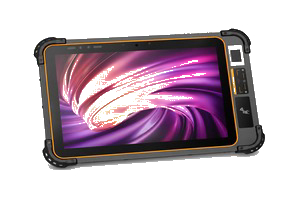
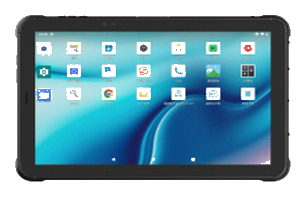
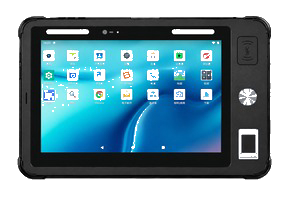
The day devices arrive usually goes smoothly. Unpack the boxes, count units, label assets — half a day, done.
The trouble starts about three months later.
A tablet in one warehouse has a video app installed and can barely scan. Procurement asks whether the batch is defective. You investigate and find the hardware is fine. Nothing was managing those devices.
Do the math first
Fifty units spread across several sites. One app now needs a version update.
The slowest method is plugging in a USB cable one unit at a time. Ten minutes each is eight hours for fifty, plus travel. Add a couple that will not boot and a few worn USB ports and you have lost a full day. Repeat this a few times and upgrades alone consume several person-days.
So fleet management is not something to consider once you have many devices. It becomes necessary the moment devices are distributed.
One extra question during purchasing saves three months
The common answer is "we will figure it out ourselves." Teams only go back to the manufacturer once they actually need remote push — and by then it is often late. Some capabilities are decided at the firmware level, and adding them later costs real money.
Ask these before signing:
Do you support remote management platforms, commonly called MDM?
Is there a vendor certification such as Android Enterprise?
Can you preinstall apps and customize the launcher?
Do you support kiosk mode, where only approved apps open?
If a unit is lost, can it be locked or wiped remotely?
Manufacturers usually have answers to all five. You just have to ask.
Do not lock everything down
Restricting a tablet to a single app sounds tidy.
On site it plays out differently. A worker needs to photograph damaged stock and discovers the camera is blocked. Either they find a supervisor to unlock it, or they write it down and key it in later. The second outcome is the one we see most.
Leaving three openings helps:
Keep basic functions like camera and browser available.
Allow an approved list of utility apps.
Block unrestricted downloads from the app store.
Lock things down too tightly and the result is not better compliance. It is people going back to pen and paper.
Always leave an upgrade path back
Not every update succeeds. Cross-version upgrades especially — a failed one can take an entire batch offline.
Two habits are worth having:
Phase it. Roll out to ten units first, run them for a week, then widen. Never push everything at once.
Keep the old package. If the new build misbehaves you need to fall back. Installers are small; keeping them costs nothing.
Both seem excessive when things go smoothly. Both save you when they do not.
No one owning it is more common than no way to do it
With a hundred units in the field, ask who is responsible and IT says operations owns it, operations says IT owns it.
More often, the person who set the system up has left. Nobody is sure who holds the admin account, and the password was never handed over.
Write these down before deployment and it saves a great deal later:
Give admin rights to at least two people.
Record where credentials are stored.
Define who takes over when someone leaves.
The hardware rarely fails. These gaps do.
When none of this applies
To be fair, not every deployment needs the full setup.
Five or six units in one room, all within sight — remote management is unnecessary. Walk over and plug in. Fifteen minutes.
The value of fleet management scales with two things: unit count and geographic spread. Raise either one and management catches up with you.
So estimate before you order: how many people will end up using these devices, across how many locations. That answer decides how far you need to go on management.
The trouble starts about three months later.
A tablet in one warehouse has a video app installed and can barely scan. Procurement asks whether the batch is defective. You investigate and find the hardware is fine. Nothing was managing those devices.
Do the math first
Fifty units spread across several sites. One app now needs a version update.
The slowest method is plugging in a USB cable one unit at a time. Ten minutes each is eight hours for fifty, plus travel. Add a couple that will not boot and a few worn USB ports and you have lost a full day. Repeat this a few times and upgrades alone consume several person-days.
So fleet management is not something to consider once you have many devices. It becomes necessary the moment devices are distributed.
One extra question during purchasing saves three months
The common answer is "we will figure it out ourselves." Teams only go back to the manufacturer once they actually need remote push — and by then it is often late. Some capabilities are decided at the firmware level, and adding them later costs real money.
Ask these before signing:
Do you support remote management platforms, commonly called MDM?
Is there a vendor certification such as Android Enterprise?
Can you preinstall apps and customize the launcher?
Do you support kiosk mode, where only approved apps open?
If a unit is lost, can it be locked or wiped remotely?
Manufacturers usually have answers to all five. You just have to ask.
Do not lock everything down
Restricting a tablet to a single app sounds tidy.
On site it plays out differently. A worker needs to photograph damaged stock and discovers the camera is blocked. Either they find a supervisor to unlock it, or they write it down and key it in later. The second outcome is the one we see most.
Leaving three openings helps:
Keep basic functions like camera and browser available.
Allow an approved list of utility apps.
Block unrestricted downloads from the app store.
Lock things down too tightly and the result is not better compliance. It is people going back to pen and paper.
Always leave an upgrade path back
Not every update succeeds. Cross-version upgrades especially — a failed one can take an entire batch offline.
Two habits are worth having:
Phase it. Roll out to ten units first, run them for a week, then widen. Never push everything at once.
Keep the old package. If the new build misbehaves you need to fall back. Installers are small; keeping them costs nothing.
Both seem excessive when things go smoothly. Both save you when they do not.
No one owning it is more common than no way to do it
With a hundred units in the field, ask who is responsible and IT says operations owns it, operations says IT owns it.
More often, the person who set the system up has left. Nobody is sure who holds the admin account, and the password was never handed over.
Write these down before deployment and it saves a great deal later:
Give admin rights to at least two people.
Record where credentials are stored.
Define who takes over when someone leaves.
The hardware rarely fails. These gaps do.
When none of this applies
To be fair, not every deployment needs the full setup.
Five or six units in one room, all within sight — remote management is unnecessary. Walk over and plug in. Fifteen minutes.
The value of fleet management scales with two things: unit count and geographic spread. Raise either one and management catches up with you.
So estimate before you order: how many people will end up using these devices, across how many locations. That answer decides how far you need to go on management.