In warehouse digitization projects, hardware failure rate is rarely the biggest obstacle. What actually delays or derails a rollout tends to be RF dead zones, insufficient charging capacity, one-size-fits-all device configuration, and the absence of a measurable baseline. This article walks through a practical deployment sequence for logistics, manufacturing and retail warehouse teams.
1. Configure by role, not one high-spec device for everyone
Roles differ sharply. Pickers need one-handed, high-frequency trigger scanning, where a large screen is a burden. Inbound and quality staff enter multi-line data and review images, where a small screen costs time. Forklift operators need a fixed, powered large screen. Supervisors work exceptions and dashboards.
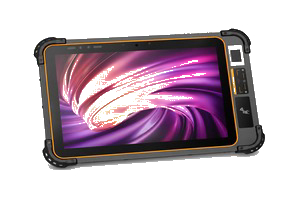
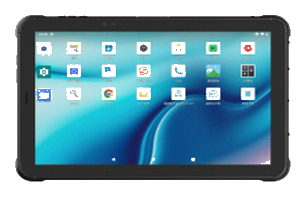
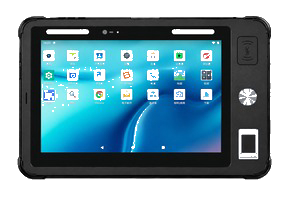
Covering all roles with one high-spec model wastes budget and fits nobody well. Split the configuration: 5.72-inch Android handheld terminals for pickers (one-handed grip, trigger key, shortest scan-to-scan cycle); 8-inch or 10-inch industrial tablets for inbound and QC; tablets with powered vehicle mounts for forklifts; tablets for supervisor dashboards.
2. Run the RF survey before buying devices
Warehouses are hostile to wireless: metal racking reflects signal, moving forklifts change propagation paths, and dense inventory absorbs RF. None of this shows up in an empty facility — it appears at full load.
Commission a professional RF survey with heat maps covering every aisle and dock door before procurement. Accept -65 dBm or better in working areas, and verify clean roaming handoff between access points so devices do not drop and reconnect as carts move. Survey with the actual device model — phone surveys are not a substitute, since antenna design differs materially. Re-survey after any racking change.
3. Charging and accessories are consistently underestimated
Answer four questions up front: how many devices must be fully charged at shift start; do devices leave the floor; where is the charging point and who owns it; is vehicle power needed.
Practical answers: size the fleet at one device per shift worker plus a 5-10% spare pool; size charging cabinets against the shortest shift handover; place charging centrally near the time clock for clear accountability; use powered vehicle mounts on forklifts to take charging off the critical path. Budget for spare batteries — capacity degrades noticeably after 500-800 cycles, so years two and three need replacements regardless of device condition.
Order accessories early too: wrist straps and gun grips for handhelds, vehicle and desktop docks for tablets, protective cases and screen film. Emergency reorders are a common cause of schedule slip.
4. Phased rollout: validate one point before scaling
Four phases. Pilot: one zone, one shift, 10-20 devices, 2-4 weeks — goal is to expose RF gaps, battery shortfalls, usability problems and label issues. Zone expansion: 2-6 weeks, gated on KPIs meeting or beating baseline. Full deployment: 4-8 weeks, while validating charging and spare capacity. Then continuous optimisation.
Do not skip the pilot. It is the only window where problems are still cheap to fix. In practice, "the scanner is slow" is frequently a label problem — faded, wrinkled or badly placed labels — which is far cheaper to resolve in a pilot than across a full fleet.
5. Measure against a baseline captured first
Projects often cannot state their improvement because no baseline was recorded. Capture before cutover, then compare monthly: pick accuracy, lines picked per hour, scan exception rate, device uptime, helpdesk tickets per device per month, and time-to-productivity for new staff.
Pick accuracy usually improves the most; device uptime and ticket volume reveal whether hardware and charging strategy are healthy. With a baseline, project value is provable and optimisation has direction.
6. Three further notes
First, put devices under management: above roughly 15 units, use MDM for bulk provisioning, application lockdown, remote support and remote wipe if a device is lost — otherwise every change becomes a manual task per unit. Second, involve supervisors early: engage floor leaders during the pilot, because they are the strongest drivers afterwards, and the fastest route back to paper if excluded. Third, set protection ratings from the environment list, not the budget — dust, splashing, minimum operating temperature and drop height determine the spec. Consult the test conditions behind IP65 and IP67 before deciding.
Warehouse digitization succeeds or fails mostly on implementation sequence, not on the device. Get role configuration, RF survey, charging planning, phased validation and baseline measurement right, and device capability turns into actual throughput.
1. Configure by role, not one high-spec device for everyone
Roles differ sharply. Pickers need one-handed, high-frequency trigger scanning, where a large screen is a burden. Inbound and quality staff enter multi-line data and review images, where a small screen costs time. Forklift operators need a fixed, powered large screen. Supervisors work exceptions and dashboards.
Covering all roles with one high-spec model wastes budget and fits nobody well. Split the configuration: 5.72-inch Android handheld terminals for pickers (one-handed grip, trigger key, shortest scan-to-scan cycle); 8-inch or 10-inch industrial tablets for inbound and QC; tablets with powered vehicle mounts for forklifts; tablets for supervisor dashboards.
2. Run the RF survey before buying devices
Warehouses are hostile to wireless: metal racking reflects signal, moving forklifts change propagation paths, and dense inventory absorbs RF. None of this shows up in an empty facility — it appears at full load.
Commission a professional RF survey with heat maps covering every aisle and dock door before procurement. Accept -65 dBm or better in working areas, and verify clean roaming handoff between access points so devices do not drop and reconnect as carts move. Survey with the actual device model — phone surveys are not a substitute, since antenna design differs materially. Re-survey after any racking change.
3. Charging and accessories are consistently underestimated
Answer four questions up front: how many devices must be fully charged at shift start; do devices leave the floor; where is the charging point and who owns it; is vehicle power needed.
Practical answers: size the fleet at one device per shift worker plus a 5-10% spare pool; size charging cabinets against the shortest shift handover; place charging centrally near the time clock for clear accountability; use powered vehicle mounts on forklifts to take charging off the critical path. Budget for spare batteries — capacity degrades noticeably after 500-800 cycles, so years two and three need replacements regardless of device condition.
Order accessories early too: wrist straps and gun grips for handhelds, vehicle and desktop docks for tablets, protective cases and screen film. Emergency reorders are a common cause of schedule slip.
4. Phased rollout: validate one point before scaling
Four phases. Pilot: one zone, one shift, 10-20 devices, 2-4 weeks — goal is to expose RF gaps, battery shortfalls, usability problems and label issues. Zone expansion: 2-6 weeks, gated on KPIs meeting or beating baseline. Full deployment: 4-8 weeks, while validating charging and spare capacity. Then continuous optimisation.
Do not skip the pilot. It is the only window where problems are still cheap to fix. In practice, "the scanner is slow" is frequently a label problem — faded, wrinkled or badly placed labels — which is far cheaper to resolve in a pilot than across a full fleet.
5. Measure against a baseline captured first
Projects often cannot state their improvement because no baseline was recorded. Capture before cutover, then compare monthly: pick accuracy, lines picked per hour, scan exception rate, device uptime, helpdesk tickets per device per month, and time-to-productivity for new staff.
Pick accuracy usually improves the most; device uptime and ticket volume reveal whether hardware and charging strategy are healthy. With a baseline, project value is provable and optimisation has direction.
6. Three further notes
First, put devices under management: above roughly 15 units, use MDM for bulk provisioning, application lockdown, remote support and remote wipe if a device is lost — otherwise every change becomes a manual task per unit. Second, involve supervisors early: engage floor leaders during the pilot, because they are the strongest drivers afterwards, and the fastest route back to paper if excluded. Third, set protection ratings from the environment list, not the budget — dust, splashing, minimum operating temperature and drop height determine the spec. Consult the test conditions behind IP65 and IP67 before deciding.
Warehouse digitization succeeds or fails mostly on implementation sequence, not on the device. Get role configuration, RF survey, charging planning, phased validation and baseline measurement right, and device capability turns into actual throughput.